
NovelQ
Clockwise InternationalBooks & Reference
3.4491.00 Reviews
- Version
- 1.4.4
- Installs
- 100.00K
- Age Rating
- Mature 17+
Screenshots
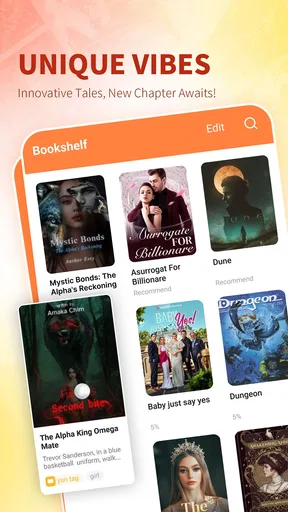
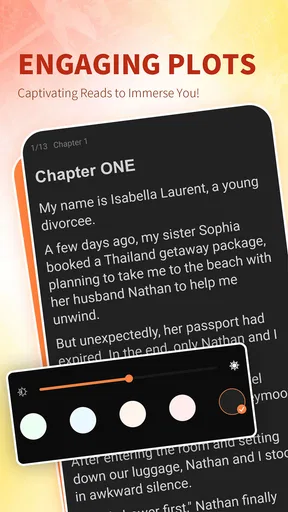
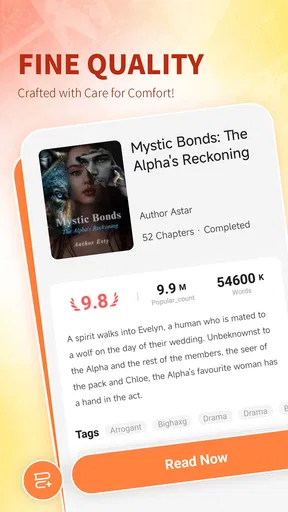
Our Review of NovelQ
 Analysis by Appyee
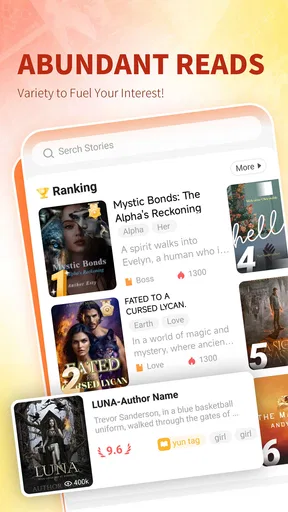
I approached NovelQ as a reading app rather than as a general-purpose digital library, and that distinction matters. Its focus is romance stories, so the experience is built around readers who want an easy way to settle into relationship-driven fiction on a phone. My overall impression is positive but specific: this is most appealing when you want a lightweight escape and do not mind the commercial limits that often come with free serialized reading.
The app comes from Clockwise International and sits in the Books & Reference category. It is free to install, carries a Mature 17+ rating, and its audience is clearly not children looking for simple bedtime stories. The current release is version 1.4.4, and it supports devices running Android 7.0 or later. Those details make it approachable for many older phones, although the age rating is something I would take seriously before handing the device to a younger reader.
How NovelQ feels in everyday reading
The best way to understand this app is to imagine a small reading habit rather than a long, uninterrupted session. I can see myself opening it during a commute, while waiting for an appointment, or before bed when I want a story that moves quickly without demanding the concentration of a dense classic. Romance fiction works particularly well in those moments because emotional tension gives even a short reading session a clear sense of purpose.
NovelQ’s narrow identity is one of its advantages. A broad books app can leave me searching through unrelated genres, reference material, and unfamiliar publishing formats. Here, the starting expectation is much clearer: I am coming for romance stories. That saves time and makes the app easier to judge. If romantic plots are not your thing, however, the same focus becomes a limitation rather than a benefit.
I would not treat it as a replacement for a personal ebook library. A library app is usually better when I already own a particular title, want to organize a large collection, or need a dependable reading tool for many genres. NovelQ makes more sense when discovery is part of the fun and I am willing to browse within its selected style of fiction.
The reading routine that works best
My recommended approach is to use the app in short, repeatable sessions. Instead of opening it with the vague intention of “finding something to read,” I would decide what mood I want first: a gentle relationship story, a dramatic conflict, or something more mature. That small decision reduces aimless browsing and helps me stop after a satisfying chapter rather than losing an entire evening to scrolling.
Another useful habit is to give a new story enough time to establish its characters before judging it. Romance fiction often depends on gradual tension, misunderstandings, and emotional reversals. A first scene may not reveal whether the central relationship will work for me. I found it more useful to assess the tone, pacing, and character chemistry together than to abandon a story after a single dramatic opening.
For readers who share a device with family members, I would also keep the mature rating in mind every time the app is introduced to someone else. The rating is not a minor label here; it sets an expectation about the intended audience. A parent looking for a child-friendly reading app should choose a different category of product rather than trying to supervise this one into becoming something it was not designed to be.
Why the free entry point is attractive
Being free makes NovelQ easy to try without committing money before I know whether its writing style and story selection suit me. That is especially useful for romance readers, because preferences can be very personal. One reader may enjoy slow emotional development, while another wants immediate conflict and frequent twists. A free starting point lowers the risk of discovering that the tone is not a match.
There is an important trade-off, though. In-app purchases range from $1.99 to $249.99 per item. I would therefore treat the free installation as an invitation to explore, not as a promise that every part of the reading experience will remain cost-free. Anyone who tends to make quick purchases when a story becomes exciting should decide on a personal spending limit before getting deeply invested.
This is one of the most practical tips I can offer: do not wait until a cliffhanger appears to think about your budget. Emotional fiction is designed to make the next chapter feel urgent. Setting a limit in advance keeps the reading experience enjoyable and prevents the story itself from making the financial decision for you.
What the audience numbers suggest, and what they do not
The app has passed 100K installs and holds a 4.0 average from around 2.2K ratings, with 392 written reviews. That gives me enough evidence to see that it has found a real audience, but not enough to assume it will satisfy every romance reader. A four-point average usually signals a generally workable experience with noticeable differences in taste or expectations.
I would read those figures as a reason to try it carefully, not as a guarantee. Romance apps can receive very different reactions depending on preferred tropes, tolerance for serialized pacing, and willingness to encounter optional purchases. The written comments matter more than the headline score if you are deciding whether the app’s particular approach fits you.
Where the experience may frustrate careful readers
The biggest weakness is the tension between free access and paid progression. Even when an app lets me begin without paying, the possibility of spending can affect how freely I explore. If I become attached to one story and then meet a purchase requirement at an awkward moment, the emotional momentum can turn into irritation. That is not a small issue for a reader who wants a calm, predictable library experience.
The purchase range also means I would not recommend browsing casually with payment details ready and no limits in place. The upper end of the range is substantial, and it changes how I evaluate the app. NovelQ may be perfectly reasonable for someone who treats occasional purchases as part of entertainment, but it is a poor match for anyone who expects a completely open, no-cost reading collection.
There is another limitation in the genre focus itself. Romance stories can be emotionally intense, repetitive for some readers, or built around familiar conflicts. If I want nonfiction, technical reference material, literary variety, or a broad selection of independent genres, this app will feel restrictive. Its specialization is honest, but specialization always means giving something else up.
NovelQ compared with familiar alternatives
Compared with a standard ebook reader, NovelQ is more discovery-oriented and less neutral. A conventional reader is usually the better choice when I have my own files or purchased books and simply need comfortable access to them. It gives me control over the collection. NovelQ is more suitable when I want the app itself to lead me toward romance fiction.
Compared with a public library reading service, NovelQ may feel more immediate because it is centered on a particular entertainment mood rather than borrowing rules and a general catalog. A library service is normally stronger for established books, varied genres, and predictable access without story-based spending pressure. I would choose the library route when cost control and breadth matter more than romance-focused discovery.
Compared with reading individual romance novels from a conventional bookstore, NovelQ lowers the barrier to sampling. I can explore the format before deciding whether I want to invest in a complete book. The trade-off is that serialized or app-centered reading may feel less satisfying to someone who prefers owning a finished novel and reading it at their own pace.
That comparison leads to a useful rule: choose NovelQ for browsing and momentum, a regular ebook app for ownership and flexibility, and a library service for breadth and budget-conscious reading. None of those choices is universally superior. The right one depends on whether I value discovery, control, or variety most.
Three ways to get more from the app
First, I would use a “trial shelf” mindset. When a story catches my attention, I would give it a short evaluation period based on its characters and pacing rather than immediately spending to continue. This prevents one attractive premise from absorbing the whole budget before I know whether the writing remains engaging.
Second, I would separate mood reading from serious reading. NovelQ is better suited to emotional downtime than to research, study, or reference work. Opening it when I want a quick fictional break helps me appreciate its strengths, while expecting it to function like a comprehensive Books & Reference tool would only create disappointment.
Third, I would pay attention to how cliffhangers affect my decisions. If I notice that I am purchasing mainly because I cannot tolerate waiting at a dramatic turning point, I would close the app and return later. That pause is surprisingly useful: it tells me whether I genuinely value the next part or am simply reacting to the structure of serialized romance.
These are not flashy features, but they change the practical experience. They help me use the app deliberately rather than letting browsing, suspense, and optional purchases dictate the entire routine.
Who should install it
I think NovelQ is a good fit for adult romance readers who enjoy discovering stories on a phone, prefer short reading sessions, and are comfortable deciding for themselves whether optional purchases are worthwhile. It is also a sensible trial for someone who has not used a dedicated romance-reading app before and wants to explore the format without paying at the door.
I would recommend it particularly to readers who enjoy emotional hooks and do not need every story to be available as a complete, traditional ebook from the beginning. The free entry point makes experimenting easy, while the focused catalog keeps the browsing experience from becoming too broad.
I would skip it if I mainly want children’s books, reference material, nonfiction, literary variety, or a completely predictable free library. I would also choose another option if unexpected spending would make reading stressful. The mature rating and purchase model are not details to overlook; they define whether the app feels convenient or uncomfortable.
My verdict after weighing the trade-offs
NovelQ succeeds because it knows what it wants to be: a romance-story app for readers who enjoy convenient discovery and emotionally driven fiction. Its free installation, accessible Android requirement, and focused subject make it easy to try. The 4.0 average and audience of over 100K installs suggest a functioning product with genuine appeal, while the current version shows that it is being presented as an active reading option rather than an abandoned experiment.
Still, I would not recommend it without a spending warning. The in-app purchase range can turn a relaxing reading habit into an expensive one if I follow every cliffhanger impulsively. Its maturity level also makes it unsuitable for younger readers, and the romance-only direction will feel narrow to anyone searching for a general digital library.
My final recommendation is simple: install it if you want romance fiction on demand and are willing to manage purchases consciously. Start slowly, judge stories by their characters and pacing, and decide your budget before suspense takes over. For that audience, NovelQ can be an enjoyable pocket reading companion. For readers seeking ownership, variety, or guaranteed free access, a conventional ebook or library app remains the better choice.
Privacy and Permissions
See what permissions an app requests and how it handles your data.
- Photos/Media/Files
- read the contents of your USB storage, modify or delete the contents of your USB storage
- Storage
- read the contents of your USB storage, modify or delete the contents of your USB storage
- Wi-Fi connection information
- view Wi-Fi connections
- Other
- view network connections, full network access, prevent device from sleeping, Google Play license check
Verdict
Strengths of NovelQ
- Large library of novels across multiple genres
- Personalized recommendations help discover new stories
- Clean reading interface with adjustable text settings
- Progress syncing makes it easy to continue reading
- Regular updates add fresh books and reading content
Limitations of NovelQ
- Some novels or chapters may require in-app purchases
- Availability of titles can vary by region
- Offline reading may be limited to selected content
- Ads may interrupt browsing for users on the free plan
- Content quality and editing can differ between authors
Similar Picks in This Category
View All
Google Play Books & Audiobooks
Google LLC4.7

네이버 - NAVER
NAVER Corp.3.5

Wattpad - Read & Write Stories
Wattpad.com3.7

King James Bible - Verse+Audio
Ozion4.8

Bible Offline-KJV Holy Bible
Bíblia Offline4.9

Amazon Kindle: Reading App
Amazon Mobile LLC4.8
Frequently Asked Questions
What is NovelQ and what can I use it for?
NovelQ is designed for readers who enjoy discovering and reading serialized novels and other story-based content on a mobile device. After exploring the app, its main appeal is the ability to browse available titles, open chapters, and continue reading from a convenient interface. The exact selection and features may vary by region, version, and the content made available by the platform.
Is NovelQ free to download and use?
NovelQ may be available to download without an upfront charge, but downloading the app does not necessarily mean that every story or chapter is completely free. Some content can be supported by advertisements, virtual currency, subscriptions, or in-app purchases. Before reading extensively, check the pricing information shown inside the app and review the store listing so you understand possible costs.
Does NovelQ require an internet connection?
An internet connection is generally needed to download the application, sign in if required, browse the catalog, and load new chapters or updates. Depending on the version of NovelQ, some reading material may be temporarily cached or offered for offline access, but this should not be assumed for every title. Test the offline behavior before relying on it during travel.
Is NovelQ safe for children and suitable for all readers?
NovelQ should not automatically be considered suitable for every age group. Story platforms can contain romance, mature themes, violence, suggestive situations, or language that may not be appropriate for younger readers. Review the app’s age rating, content descriptions, privacy information, and any parental-control options before allowing a child to use it. Availability and ratings can also differ between Android and iOS.
What should I check before creating an account or making purchases in NovelQ?
Before registering, review which permissions and personal details NovelQ requests, as well as its privacy policy and terms of service. If the app uses coins, credits, subscriptions, or other paid features, confirm the price, renewal conditions, refund rules, and whether purchases are tied to your account. Also make sure you download the official version from a trusted app store to reduce security and billing risks.
